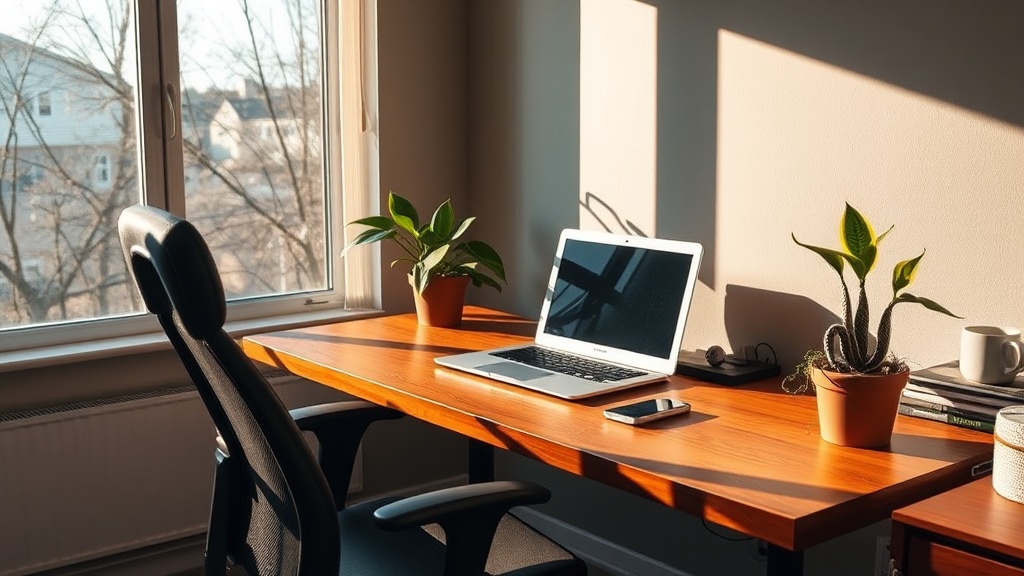
Spring Home‑Office Upgrade: 7 Ergonomic Wins for Hybrid Workers

Spring Home‑Office Upgrade: 7 Ergonomic Wins for Hybrid Workers
Hook – The first time you sit at a desk after daylight‑saving jumps forward, you’ll feel the difference. A well‑tuned home office can turn that extra hour of daylight into extra focus, fewer aches, and a smoother transition between Zoom calls and coffee‑shop brainstorming.
Why a Spring Refresh Matters for Hybrid Workers
Spring isn’t just about clearing out old paperwork; it’s the perfect moment to align your workspace with the hybrid‑work reality most Sudburys now live. According to the 2025 State of Remote Work report from Buffer, 73 % of remote employees say a dedicated, ergonomic home office improves their productivity and mental health. With daylight‑saving already shifting our clocks, a quick‑hit upgrade can help you make the most of that brighter, longer day.
What Are the Biggest Ergonomic Pain Points at Home?
“I used to end the day with a sore neck and a backlog of emails. After I swapped my chair and tweaked my lighting, my focus shot up.” – Marc Gauthier, founder of Greater Sudbury Blog
Below are the seven practical steps you can take today—no major renovation, just smart tweaks that fit any Sudbury apartment or house.
1. How Can I Choose the Right Chair for All‑Day Comfort?
A chair that supports the natural curve of your spine is essential. Look for:
- Adjustable lumbar support – keeps the lower back aligned.
- Seat depth & height adjustment – lets your feet rest flat on the floor, reducing pressure on the thighs.
- Breathable material – prevents heat buildup during those long‑haul Zoom marathons.
Quick tip: If a new chair is out of budget, add a lumbar cushion (often under $20) and a footrest to a decent office chair.
Internal link: Learn more about Sudbury‑style productivity hacks in our Northern Spring Reset guide.
2. Why Does Lighting Influence Focus and Mood?
Natural light is a productivity powerhouse. Position your desk near a window, then supplement with:
- Daylight‑temperature LED lamps (≈ 5 000 K).
- Adjustable arm‑mounted lights for task‑specific illumination.
Avoid harsh overhead fluorescents that can cause eye strain. A simple desk lamp with a dimmer lets you transition from bright morning work to softer evening reading.
Outbound link: Harvard Business Review – The Impact of Light on Workplace Productivity
3. How Do I Optimize My Monitor Setup for Hybrid Work?
Height – Top of the screen should be at eye level.
Distance – About an arm’s length away (≈ 50 cm).
Dual‑monitor – Increases screen real‑estate, cutting down on tab‑switching.
If space is tight, consider a vertical monitor mount that frees up desk width while giving you a tall screen for coding, spreadsheets, or design work.
Internal link: Check out our Sudbury Daylight Saving 2026 post for a reminder to recalibrate your monitor after the time shift.
4. What Simple Desk Organization Hacks Keep the Space Clutter‑Free?
- Cable management – Use zip ties or a cable tray.
- Desk trays – Separate paperwork from tech accessories.
- One‑in‑one‑out rule – For every new gadget, remove an old one.
A tidy desk reduces visual noise and helps your brain stay on task.
Outbound link: The American Society of Interior Designers – Desk Organization Principles
5. How Can I Make My Seating Area More “Hybrid‑Ready”?
Hybrid work means you’ll be in and out of the space throughout the day. Add:
- A portable lap desk for couch‑side brainstorming.
- A standing‑desk converter for the occasional stretch‑break.
Both options let you switch positions without re‑configuring the whole room.
Internal link: Our Spring Craft Beer Roundup shows how a quick break with a local brew can reboot your focus—pair it with a standing‑desk stretch!
6. Why Should I Prioritize Air Quality and Temperature?
A stuffy room drags you down. Keep a small air purifier (HEPA filter) on the desk, and open a window for fresh air when the weather permits. In Sudbury’s spring, a light portable heater can prevent the “office‑cold” effect without overheating the space.
Outbound link: EPA – Indoor Air Quality and Productivity
7. How Do I Add a Personal Touch Without Distracting?
- Local art – Hang a Sudbury‑themed print or a small canvas from a local artist.
- Plants – A pothos or snake plant cleans the air and adds a pop of green.
- Minimalist décor – Keep it simple; a single motivational quote on the wall works well.
A space that feels “yours” encourages you to stay, rather than drift back to the office.
Internal link: For more Sudbury‑centric décor ideas, see The Spot Where Sudbury Actually Gathers.
Takeaway – Your Spring Home‑Office Checklist
| ✅ | Action |
|---|---|
| Chair | Add lumbar support or upgrade to an ergonomic seat. |
| Light | Position near a window; add a daylight LED lamp. |
| Monitor | Align height, distance; consider a second screen. |
| Desk | Tidy cables, use trays, apply the one‑in‑one‑out rule. |
| Hybrid Flex | Keep a lap desk & standing‑desk converter handy. |
| Air | Run a purifier, open windows, add a portable heater if needed. |
| Personal | Add local art, a plant, and a single inspiring quote. |
Implement these seven upgrades this weekend, and you’ll notice sharper focus, fewer aches, and a smoother dance between home and office. Spring’s longer days are yours—make the workspace work for you.